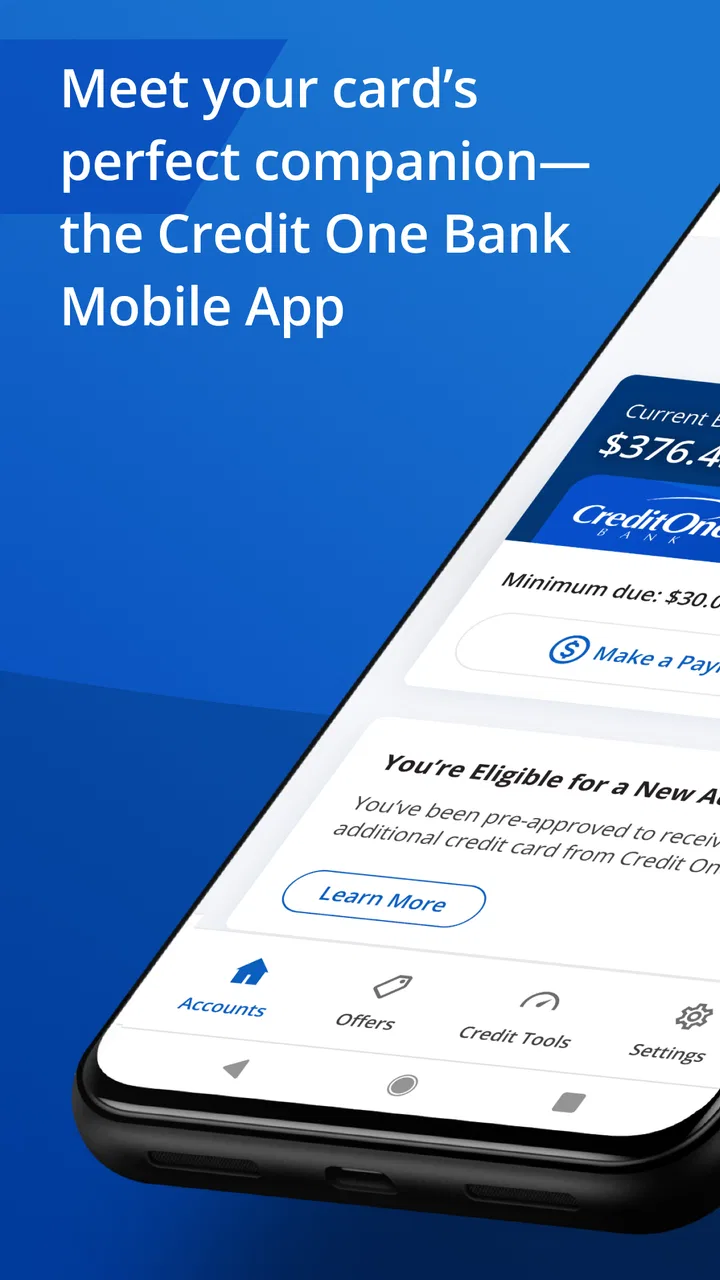
Credit One Bank Mobile
- 4.7
- Rating
- 10.00M
- Installs
- Free
- Price

 Analysis by App-foxy
Managing a credit card from a phone sounds simple, but the quality of the experience matters most when you need a quick answer: whether a payment posted, how much available credit remains, or whether a recent purchase is showing correctly. I spent time using Credit One Bank Mobile with those everyday questions in mind, and I found an app aimed at one clear job: giving Credit One Bank cardholders a practical way to manage their account without relying on a desktop browser.
That focus is both its main strength and its biggest boundary. This is not a general budgeting platform, an investment tool, or a replacement for a full banking relationship. It is a free finance app from Credit One Bank, N.A., built around the credit-card account. If your card is with this issuer, the app can make routine account management more convenient. If you want one dashboard for cards from several banks, the usual alternatives may suit you better.
What I looked for before recommending it
My first decision criterion was clarity. A card app should make the important information easy to find rather than forcing me through several unrelated screens. I wanted to see whether the balance, available credit, payment activity, and account controls felt like parts of one coherent workflow. The second criterion was usefulness between billing cycles. A credit-card app earns its place on a phone when it helps me check activity after a purchase, plan a payment, or investigate a transaction before a small concern becomes a larger one.
You May Also Like

 Blood Strike: 2.5 Anniversary
Blood Strike’s Loadouts Turn Every Drop Into a Tactical Gamble
A close look at Blood Strike’s custom loadouts: how fast access to signature weapons reshapes its battle royale rhythm, rewards preparation, and narrows the gap between fights.

 Pandora - Music & Podcasts
Pandora’s Music Is Easy to Start, but Harder to Recover
Pandora’s strength is its low-effort path from a seed to a station. Its weak spot is how much confidence it asks you to place in connection, setup, and quiet recovery.

 8 Ball Pool
 Is Built on Rivalries, Rematches, and Routine
A close look at the rivalries, rematches, shared routines, and unanswered safety questions that turn a quick pool match into a persistent mobile community.

 Samsung Music
’s Quiet Strength Is Playing What You Already Own
Its reach comes less from spectacle than from dependable access to a personal library. That simplicity is both the app’s strongest retention engine and its ceiling.

 AccuWeather: Weather Radar
AccuWeather Review: A Quick, Clear Forecast for Everyday Decisions
For everyday plans, the best forecast is the one you can understand quickly. AccuWeather makes rain timing, radar, and local conditions easy to act on, with a few trade-offs.

 Hill Climb Racing
Why Hill Climb Racing Still Turns Crashes Into One More Run
A tiny car, a bumpy hill and one more upgrade: Hill Climb Racing keeps resurfacing because its simple chaos makes every near-miss feel personal.
More From Our News Desk



The third criterion was fit. Credit One Bank Mobile is specifically for managing a Credit One Bank card account, so the right question is not whether it can replace every finance app. The better question is whether it handles the issuer-specific tasks I already need. That distinction is important because a specialized card app can be more direct than an all-purpose money manager, while still being too narrow for someone with several financial institutions.
I also considered the practical details. The app is free, carries an Everyone age rating, and requires Android 10 or later. It has been available since September 19, 2016, and the current version is 26.02.0. Those details suggest an established mobile product rather than a newly launched experiment, although the experience still depends on the account and phone being used.
Its public reception is strong: the app holds a 4.7 average from around 755 thousand ratings, with more than 211 thousand written reviews and over 10 million installs. I would not treat popularity as proof that every cardholder will love it, but that level of adoption does make it easier to view the app as a normal part of the Credit One Bank experience rather than an optional novelty.
The first useful test: checking the account without overthinking it
My most common use case was the least glamorous one. After using a card during a busy day, I wanted to confirm the purchase and understand how it affected the account. A good card app should reduce uncertainty in that moment. Credit One Bank Mobile is most valuable when I use it as a quick checkpoint: open the account, review the current information, and decide whether I need to take action.
This is different from checking a bank account balance. A credit-card balance can change as purchases appear, payments are processed, and available credit moves independently of the amount I remember spending. Keeping those ideas separate is one of the most useful habits the app supports. I would not use the displayed balance as a complete picture of my monthly budget, but I would use it to stay aware of the card itself.
That distinction also prevents a common mistake. Seeing a lower balance after making a payment does not automatically mean every part of the account has updated in the way I expect. I would still review the account activity and payment status rather than assuming that one figure answers every question. The app is helpful here because it puts account checking on demand, but it cannot remove the need to read the details carefully.
Where the focused design works well
The strongest part of this app is its narrow purpose. When I already have a Credit One Bank card, I do not need a separate financial dashboard just to look at that account. A dedicated issuer app can be faster to understand because the information is tied to one card relationship instead of being mixed with unrelated accounts, categories, or investments.
That makes it a good fit for someone who wants to check card activity while away from a computer. It is also useful for people who prefer reviewing finances in short sessions rather than sitting down for a complete budgeting exercise. A quick check after shopping, before making a payment, or while preparing for a trip can be more realistic than promising to maintain a complicated spreadsheet.
Another advantage is the direct connection to the card issuer. In an account-specific app, I am not trying to translate information imported from somewhere else. I am looking at the Credit One Bank account in the place designed for it. That can reduce the confusion that sometimes appears when a third-party budgeting service refreshes at a different time or groups transactions in a way I would not choose.
The app is most useful as a control panel for one Credit One Bank card relationship, not as a complete personal-finance command center. That is the honest way I would describe it to a friend. Its value comes from reducing friction around the issuer’s account, not from trying to cover every financial task.
A realistic everyday workflow
Imagine I use the card for groceries and fuel during the week. On the way home, I open the app to check that the latest purchases are represented and to see how much room remains before the next planned expense. Later, I return to the account when I am ready to make a payment. Instead of waiting until the end of the month to discover that my spending was higher than expected, I have several small opportunities to correct course.
This workflow is especially useful when the card is used for recurring expenses. I can check whether an expected charge appeared, notice an unfamiliar entry sooner, and keep the card activity in view without opening a laptop. The app does not make spending decisions for me, but it makes the information available at the moment when a decision is still easy to change.
My practical tip is to use it at two different times: shortly after important purchases and before the payment deadline. The first check is about recognition and awareness; the second is about action. Treating those as separate habits is more useful than opening the app randomly and hoping the account looks familiar.
Small habits that make the app more useful
One non-obvious benefit of a dedicated card app is that it can become a transaction-verification tool rather than merely a balance viewer. If I am unsure whether a purchase went through, I can check the account instead of repeating the transaction or waiting for a paper statement. That is particularly helpful when a merchant’s confirmation screen is unclear.
I would also use the app to investigate patterns, not just individual charges. Several small purchases can have a larger effect than one memorable purchase, and a quick review of recent activity can reveal that sooner. This is not a full expense-analysis system, so I would not expect sophisticated budgeting categories to replace my own records. Still, the account view gives me a dependable starting point for deciding what needs attention.
A second useful habit is separating “available credit” from “money I can comfortably spend.” The former is an account figure; the latter depends on income, bills, and personal limits. The app can help me monitor the first, but I would pair it with a simple budget elsewhere. That trade-off is easy to miss when a card app presents account information so conveniently.
Finally, I would avoid using a single successful login as proof that everything is settled. For important payments or disputed activity, I would look for the relevant status and keep any confirmation that matters to me. The app makes checking easier, but responsible account management still requires attention to timing and details.
Where another kind of finance app may fit better
The main alternative is a general budgeting app. That type of tool is usually better when I want to combine several cards, checking accounts, loans, or household expenses in one view. It can help answer questions Credit One Bank Mobile is not designed to answer, such as how much I spend across all accounts or how different categories compare over time.
A bank app may also be a better home base for someone whose primary financial activity happens at another institution. If my income, savings, and daily spending are elsewhere, I may prefer opening one broader banking app first and using the Credit One Bank app only when I need card-specific information. In that situation, installing this app is still reasonable, but it will be a specialist tool rather than my main finance destination.
There is also a case for using a desktop browser instead. I would choose a larger screen when reviewing a longer period of activity, organizing records, or dealing with a complicated account question. A phone is excellent for quick checks, but it is not automatically the best interface for careful comparison. Credit One Bank Mobile complements that kind of review; it does not make the larger screen unnecessary for every task.
People who manage finances jointly should think about workflow before installing it. A single-card app may be perfectly adequate for one cardholder, but a household with multiple issuers may find a consolidated system easier to maintain. The important trade-off is convenience versus coverage: this app offers a direct route to one account, while broader alternatives offer a wider financial picture with potentially more setup and less issuer-specific focus.
What switching actually involves
Moving from a browser to Credit One Bank Mobile is a relatively simple change in habit: instead of opening a computer, I use the phone for routine checks. The real adjustment is deciding which tasks belong in the app and which should remain part of a larger financial routine. I would not abandon a budget, payment calendar, or personal record simply because account access became more convenient.
Switching from a general finance app is different. I would lose the convenience of seeing multiple institutions together if I relied on this app alone. Before changing, I would write down the tasks I currently perform in the broader tool: account aggregation, spending review, bill planning, and any personal notes. Then I would decide whether Credit One Bank Mobile covers the card-specific part while another tool continues to cover the rest.
There is little reason to make the choice all-or-nothing. I can use the Credit One Bank app for direct account checks and retain a separate budgeting method for the whole household. That combination may be better than forcing one app to serve two different purposes. The cost of switching is therefore less about learning a new interface and more about avoiding gaps in the way I track money.
For a new Credit One Bank cardholder, I would start with a short routine rather than trying to explore every screen at once. Check the account after meaningful purchases, review activity before paying, and keep a separate note of recurring obligations. Once that feels natural, the app becomes a practical part of card ownership instead of another icon that is opened only when something goes wrong.
Who should use it, and who should skip it
I would recommend Credit One Bank Mobile to a Credit One Bank cardholder who wants convenient access to the card account and prefers handling routine finance tasks on a phone. It is particularly suitable for someone who values quick transaction checks and wants the issuer’s account kept separate from a larger budgeting system.
I would be more cautious about recommending it as the only finance app for a person with several banks or cards. That user may spend more time switching between apps than gaining clarity. A consolidated budgeting service or a primary bank app may offer a better overview, while this app remains useful for issuer-specific checks.
I would also skip it if the goal is investment management, detailed household budgeting, or a complete view of cash flow. Those needs go beyond the app’s central role. Choosing a specialized tool for a broad problem usually creates frustration, even when the specialized tool itself is well suited to its intended job.
My recommendation after using it
Credit One Bank Mobile does not try to be everything, and I think that is the right approach for this product. As a free Finance app from Credit One Bank, N.A., it gives cardholders a straightforward mobile route to their account. Its 4.7 average, broad adoption, and long availability support the impression of a mature option, while the current version keeps it relevant for supported devices running Android 10 or newer.
My recommendation is clear: install it if you have a Credit One Bank card and want to check activity and manage the account from your phone. Use it alongside a budget if you need a complete view of your finances. If your priority is combining accounts from different institutions, start with a broader alternative and treat this app as a companion rather than a replacement.
In the end, I like it for the same reason I would recommend it to a friend: it solves a specific recurring problem without demanding that I redesign my entire financial life. The best results come from using it deliberately—checking important activity, separating card information from overall spending power, and choosing a wider tool when the wider view is what I really need.
FAQs for Credit One Bank Mobile
01What features does the Credit One Bank Mobile app offer?
The Credit One Bank Mobile app provides a comprehensive suite of features to manage your credit card account. These include checking your balance, viewing recent transactions, making payments, and accessing your credit score. Additionally, you can set up alerts, view statements, and manage account settings directly from your mobile device.
02Is the Credit One Bank Mobile app secure to use?
Yes, the Credit One Bank Mobile app employs advanced security measures to protect your personal and financial information. It includes encryption technology, secure login processes, and optional biometric authentication like fingerprint or facial recognition. Regular updates ensure the app remains secure against the latest threats.
03Can I make payments through the Credit One Bank Mobile app?
Absolutely, the app allows you to easily make payments on your credit card. You can schedule one-time payments or set up automatic payments to ensure your bills are always paid on time. The app also provides real-time updates on your payment status and transaction history.
04Does the Credit One Bank Mobile app offer customer support?
Yes, the app includes options for accessing customer support. You can contact the support team directly through the app via phone or live chat. Additionally, there are FAQs and a help section to assist with common issues. This ensures you receive prompt assistance for any queries or concerns.
05Is the Credit One Bank Mobile app available for both Android and iOS?
The Credit One Bank Mobile app is available for both Android and iOS platforms. You can download it from the Google Play Store for Android devices and the Apple App Store for iOS devices. Regular updates are provided to enhance functionality and security on both platforms.
Pros
- User-friendly interface enhances navigation.
- Real-time notifications keep you updated.
- Secure login with biometric options.
- Easy access to account statements.
- Quick bill pay feature saves time.
Cons
- Limited customer support availability.
- Occasional app crashes reported.
- No budgeting tools included.
- Some features require internet connection.
- No dark mode available for app.

Credit One Bank Mobile
Gallery